|
Are you looking to revolutionize your business’s printing capabilities while saving space and costs? Toshiba Multifunction Printers (MFPs) offer an innovative solution that integrates multiple functions into one streamlined device. Discover how these printers can enhance your productivity and sustainability. What You Will Learn
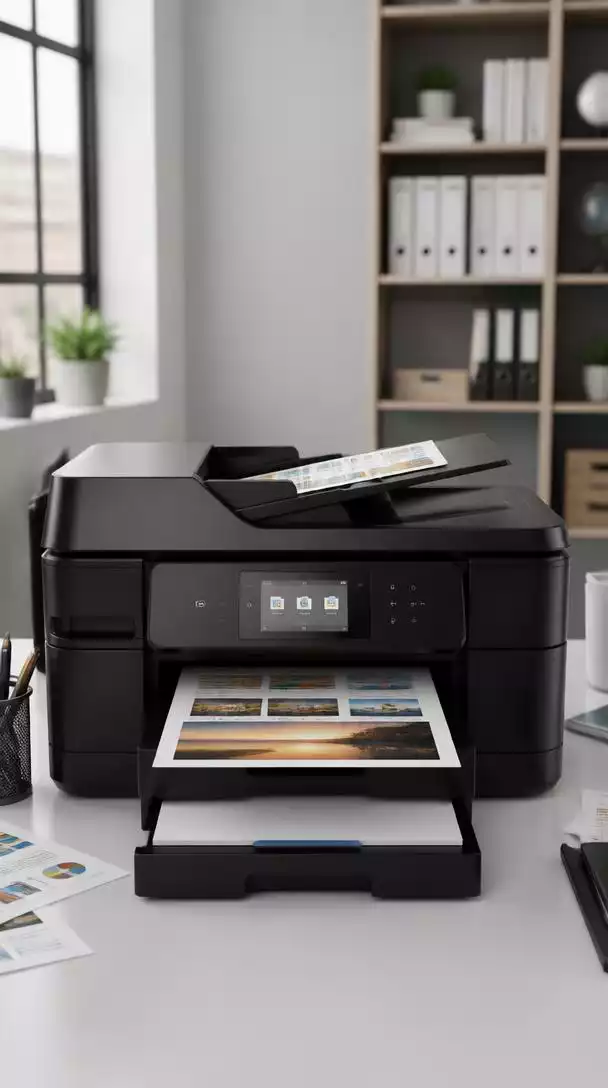
Understanding Toshiba Multifunction Printers in PerthIf you’re exploring reliable printing solutions for your business, Toshiba Multifunction Printers (MFPs) are definitely worth considering. These devices combine various functionalities into one machine, saving space and streamlining your workflow. In this section, I’ll break down what Toshiba MFPs are and the key benefits they offer. You can learn more about Toshiba’s extensive range of products and solutions on their official website. What Are Toshiba Multifunction Printers?Toshiba Multifunction Printers are advanced devices that integrate multiple printing tasks into a single unit. They can typically print, scan, copy, and fax documents—all from one machine! This capability is especially beneficial for businesses looking to reduce clutter and increase efficiency.
This versatility allows businesses of any size to optimize their operations without sacrificing quality or productivity. Key Benefits of Choosing Toshiba MFPs for Your BusinessWhen it comes to choosing the right printer for your office, Toshiba MFPs stand out for several reasons. Here are some key benefits that can enhance your business’s printing experience:
These features not only save you money but also contribute to a more sustainable office environment. It’s all about making smarter choices that benefit both your budget and the planet! We Want to Hear From You!Considering the benefits of Toshiba MFPs discussed so far (cost-effectiveness, high-quality output, advanced security, and eco-friendly options), which benefit do you find most compelling for *your* business in Perth, and why? Frequently Asked Questions About Toshiba Multifunction PrintersWhat are Toshiba Multifunction Printers (MFPs)?
Toshiba MFPs are advanced devices that combine multiple office functions—typically printing, scanning, copying, and faxing—into a single unit, designed to save space and enhance efficiency.
What are the main benefits of using Toshiba MFPs for a business?
Key benefits include cost-effectiveness by consolidating devices, high-quality output for professional documents, advanced security features to protect data, and eco-friendly options to reduce energy consumption and waste.
How can I choose the right Toshiba MFP model for my business?
To make an informed decision, assess your print speed and volume requirements, evaluate the importance of print quality, identify necessary additional features like scanning and faxing, and consider energy efficiency for long-term savings.
Where can I get personalized advice and support for Toshiba MFPs?
You can contact local dealers for personalized consultations, offers, and insights tailored to your specific business needs. Additionally, Toshiba provides online guides and customer service for setup and troubleshooting. For those in Perth, local providers like Copyworld offer a range of multifunction devices.
Are Toshiba MFPs environmentally friendly?
Yes, many Toshiba MFP models are designed with eco-friendly options to minimize energy consumption and reduce waste, contributing to a more sustainable office environment.
Summarizing the Value of Toshiba Multifunction Printers in PerthWhen it comes to choosing a printer for your business, the Toshiba Multifunction Printer (MFP) stands out for several reasons. With their versatility in printing, copying, scanning, and faxing, they are not just machines, but integral components that can enhance your office’s productivity. You might be wondering, how do I discern the right model for my needs? Let’s dive into some key considerations. First, understanding the unique features and capabilities of different Toshiba MFP models is essential. Each model caters to specific business requirements, whether it’s high-volume printing or eco-friendly options. Here’s a quick look at what you should consider when exploring your options:
By weighing these factors, you can make a more informed decision that aligns with your business objectives. Considering Your Options: Making an Informed DecisionDeciding on the right Toshiba MFP isn’t just about specifications; it’s about how well it fits into your business environment. I always recommend evaluating your current and future needs. Here are a few steps to help you make this decision:
Taking the time to evaluate these aspects can significantly impact the efficiency and effectiveness of your office operations!
Take the Next Step with Toshiba MFPs TodayReady to enhance your office with a Toshiba MFP? Taking action now can lead to better productivity and streamlined processes in the long run. Let’s explore how you can move forward. Start by reaching out to local dealers for personalized consultations. They can provide tailored advice based on your specific requirements and offer insights on the best models suited for your business. For direct inquiries, you can also utilize the Toshiba contact page. Contact Local Dealers for Personalized Consultations and OffersConnecting with local dealers is a great way to gain a deeper understanding of Toshiba MFP offerings. They often have special promotions or packages that can make your investment more appealing. Here’s how to get the most out of your consultation:
Local dealers are there to assist you and can help you navigate your options to find the perfect fit. For businesses in Perth, exploring options from local suppliers like Copyworld’s multifunction devices can also be beneficial. Explore Further: Resources and Support for Your Toshiba MFP JourneyDon’t forget that beyond the purchase, there are numerous resources available to support you along the way. Toshiba provides comprehensive online guides and customer service to help you with:
Using these resources can greatly enhance your experience and ensure you’re getting the most out of your Toshiba MFP. Connecting with Perth Office Supply Stores for Additional ResourcesYour local office supply stores can also be an excellent resource for your MFP needs. Many of them offer supplies, accessories, and even maintenance services. Make sure to:
The post Toshiba Printers Available in Perth appeared first on Printcom | Perth Managed Print Services, Printers & Support. Via https://printcom.com.au/toshiba-printers-available-in-perth/
0 Comments
In today’s fast-paced business environment, a reliable printer can be the backbone of your operations. Yet, without proper support, even the best equipment can fall short. Understanding how to leverage Epson Business Printer Support can transform your workflow and enhance efficiency. What You Will Learn
Understanding Epson Business Printer SupportWhen you invest in an Epson business printer, having access to reliable support is crucial. Epson Business Printer Support encompasses a range of services designed to help you maintain, troubleshoot, and optimize your printer’s performance. Whether you’re facing technical difficulties or simply need guidance on features, understanding this support structure can save you time and resources!
In this section, we’ll explore what Epson Business Printer Support entails, why it’s vital for your operations, and provide an overview of the printers and their features to help you get the most out of your investment. What is Epson Business Printer Support?Epson Business Printer Support refers to the comprehensive assistance provided by Epson for their line of business printers. This support includes various resources such as troubleshooting guides, driver downloads, firmware updates, and access to user manuals. Additionally, it encompasses customer service for direct assistance in resolving issues.
By utilizing these resources, you can ensure that your printer operates smoothly, enhancing productivity in your workplace. Why Reliable Support is Essential for Your Business PrinterHaving reliable support for your business printer can significantly impact your overall efficiency. A printer that malfunctions can lead to delays, lost productivity, and increased operational costs. This is why understanding the support available is essential.
Investing time in understanding Epson’s support resources not only helps you troubleshoot issues effectively but also empowers you to maximize your printer’s capabilities. Overview of Epson Business Printers and Their FeaturesEpson offers a diverse range of business printers designed to meet varying needs, from small offices to large enterprises. Their printers come equipped with advanced features that enhance productivity and efficiency.
Understanding these features can help you choose the right printer for your needs and leverage its capabilities effectively! Knowing what your printer can do is half the battle in ensuring your business runs smoothly. We Want to Hear From You!What’s the most challenging printer issue you’ve faced in your business, and how did you resolve it? Frequently Asked Questions About Epson Business Printer SupportWhat does Epson Business Printer Support include?
Epson Business Printer Support offers comprehensive assistance, including troubleshooting guides, driver downloads, firmware updates, user manuals, and direct customer service for resolving technical issues.
Why is reliable support important for my business printer?
Reliable support minimizes downtime, ensures access to the latest features through updates, and provides peace of mind that help is available when issues arise, ultimately enhancing business efficiency and productivity.
How can I maximize my Epson business printer’s capabilities?
To maximize your printer’s capabilities, regularly check for driver and firmware updates, utilize user manuals for troubleshooting, engage with community forums for shared solutions, and keep track of warranty and service plans.
Are there mobile apps available for Epson printers?
Yes, Epson offers mobile apps designed to enhance your printing experience. These apps provide features like remote printing capabilities, easy access to printer settings, seamless integration with mobile devices, and real-time notifications about printer status.
How can I stay updated on Epson support resources?
You can stay updated by signing up for Epson’s newsletters, following Epson on social media platforms, joining community forums and groups, and regularly visiting the official Epson support page.
Summarizing Your Epson Business Printer Support OptionsAs we wrap up our discussion, it’s essential to understand how a solid support system can dramatically improve your business efficiency. When your printer is working smoothly, it allows you to focus on what truly matters—growing your business! Reliable support from Epson ensures that you’re never left in the dark.
Here are some reasons why comprehensive support is crucial:
The Importance of Comprehensive Support for Business EfficiencyComprehensive support plays a pivotal role in maintaining the productivity of your operations. With a reliable support system, you can prevent minor issues from escalating into major disruptions. Think about how much time and resources you can save when you have access to the right tools and guidance! Here’s a quick look at the benefits of having a robust support system:
Key Takeaways for Better Printer Management and SupportTo sum it all up, effective printer management is about being proactive rather than reactive. By leveraging Epson’s support resources, you can ensure that your printers perform optimally. This not only boosts productivity but also fosters a smoother workflow across your entire team. Here are some key takeaways for better printer management:
Utilizing Epson Community Forums for Additional HelpEpson community forums can be a fantastic resource for troubleshooting and support. Engaging with other users allows you to learn from their experiences and solutions. It’s often a treasure trove of information that you might not find in official manuals! Here’s why you should consider visiting these forums:
Encouraging Engagement and Further AssistanceAs we conclude, I want to encourage you to stay connected and engaged. The world of Epson business printer support is continually evolving. You can ensure you’re always informed about the latest updates and resources available to you. How to Stay Updated on Epson Support ResourcesStaying updated can be as simple as subscribing to newsletters or following Epson’s official channels. Here are some tips to stay in the loop:
Inviting Questions and Comments from ReadersI would love to hear from you! If you have any questions or comments about your Epson printers or the support options available, please feel free to reach out. Your feedback not only helps me provide better content but also builds a stronger community around our shared experiences with Epson products. Exploring Epson Mobile Apps for Enhanced Printing ExperienceFinally, don’t forget to explore Epson’s mobile apps designed to enhance your printing experience! These apps can simplify many tasks and give you greater control over your printing needs. Here are some features you might find useful:
Utilizing these tools can bring even more efficiency to your workflow, making it easier to manage The post Epson Business Printer Support Tips appeared first on Printcom | Perth Managed Print Services, Printers & Support. Via https://printcom.com.au/epson-business-printer-support-tips/ Regular maintenance is crucial for keeping your Brother office printer running efficiently. Did you know that a simple servicing schedule can prevent costly repairs and downtime? Understanding the ins and outs of printer servicing can lead to improved workflow and productivity! What You Will Learn
Understanding Brother Office Printer Servicing and SupportWhen it comes to managing your office workflow, understanding Brother office printer servicing is vital. These printers are known for their reliability, but like any machine, they require proper care and maintenance to perform at their best. In this section, we’ll dive into what printer servicing involves and why keeping up with regular maintenance can save your business time and money. Printer servicing for Brother models includes a variety of tasks designed to ensure your printer runs smoothly. This can range from replacing consumables like toner and drum units to performing software updates and addressing mechanical issues. Knowing what to expect from servicing can empower you to maintain your printer effectively!
What is Brother Office Printer Servicing?Understanding the specifics of Brother office printer servicing is important for any business that relies on these machines. Printer servicing includes both preventative maintenance and repairs, ensuring that your equipment remains in top working condition. Regular servicing helps to prevent potential issues from escalating into major problems.
By scheduling routine servicing, you minimize the risk of unexpected breakdowns and extend the lifespan of your devices. This proactive approach means you’re less likely to experience frustrating delays during critical work periods. Defining Printer Servicing for Brother ModelsPrinter servicing for Brother models specifically refers to the tailored care that keeps these printers functioning optimally. The servicing process includes examining mechanical components, updating firmware, and ensuring that all consumables are fresh and properly installed. It’s not just about fixing problems—it’s about enhancing performance! To ensure the longevity of your printer, consider working with certified technicians who specialize in Brother models. They have the training and tools to perform necessary maintenance efficiently, allowing you to focus on your work. Importance of Regular Maintenance for Office PrintersRegular maintenance is not just a good practice; it’s essential for the efficiency of your Brother office printers. Neglecting maintenance can lead to decreased print quality, increased downtime, and even costly repairs. By investing time and resources into routine servicing, you can prevent these issues before they arise.
To keep your office running smoothly, I recommend scheduling servicing at least once every six months. This ensures that your printer remains in tip-top shape and helps you avoid the stress of unexpected disruptions! Identifying Common Issues with Brother PrintersEven with regular servicing, issues can still arise with Brother printers. The good news is that many of these problems are common and can often be diagnosed quickly. Knowing what to look for can save you valuable time and resources. Let’s explore some common printing problems and how to identify them. Understanding these issues will help you take action sooner, preventing further complications down the line!
Diagnosing Printing Problems: What to Look ForWhen diagnosing issues with your Brother printer, there are several key signs to watch out for. Recognizing these early can help you tackle potential problems head-on. Here are some of the most common symptoms:
If you notice any of these signs, it’s best to address them right away. Often, a simple troubleshooting step can resolve the issue before it turns into a more significant problem! Common Error Messages and SolutionsBrother printers may display various error messages that can be confusing. Familiarizing yourself with these can save you time troubleshooting. Here’s a list of some typical error messages and how to resolve them:
By knowing how to interpret and respond to these messages, you’ll be better equipped to handle minor issues as they arise! For more detailed guidance, you can often find solutions on the Brother support website’s FAQ section, which covers a wide range of common printer issues. Understanding Brother Printer Error Codes and Their MeaningsEach error code on Brother printers has a specific meaning that can guide you in troubleshooting the issue. Here are a few common error codes you might encounter:
Understanding these error codes can help you make informed decisions on whether to attempt repairs yourself or seek professional servicing! Frequently Asked Questions About Brother Office Printer ServicingWhat does Brother office printer servicing involve?
Brother office printer servicing includes preventative maintenance like routine cleaning, replacing consumables (toner, drum units, fusers), software updates, and diagnostic checks to detect issues early. It also covers repairs for mechanical problems.
Why is regular maintenance important for my Brother printer?
Regular maintenance is crucial for improving print quality, reducing paper jams and mechanical failures, increasing the lifespan of printer parts, ensuring stable performance during high-demand periods, and preventing costly repairs and downtime.
How often should I schedule servicing for my Brother office printer?
It is generally recommended to schedule servicing at least once every six months to ensure your printer remains in optimal condition and to avoid unexpected disruptions.
What should I do if my Brother printer displays an error message or code?
Familiarize yourself with common error messages (e.g., “Paper Jam,” “Toner Low,” “Offline”) and their basic solutions. For specific error codes (e.g., Error 21, 46, 50), refer to your printer’s manual or the Brother support website for detailed troubleshooting steps. Prompt action can often resolve minor issues.
Where can I find authorized Brother service centers or customer support?
You can find authorized service centers using the locator tool on the official Brother website. For immediate assistance, Brother customer service is available via phone, email, or live chat. Having their contact information readily available is recommended.
We Want to Hear From You!What’s the most challenging Brother printer error message or issue you’ve encountered, and how did you resolve it? Summarizing Your Brother Office Printer Servicing JourneyAs we wrap up our discussion on Brother office printer servicing, it’s essential to remember the key aspects that impact your printer’s performance. Regular servicing not only prolongs the life of your printer but also helps prevent unexpected downtimes that can disrupt your workflow. Here’s a concise summary of what we’ve covered. Key Takeaways on Brother Printer MaintenanceUnderstanding the importance of prompt service and support can make a significant difference in your printer operation. Brother printers are built for durability, but even the best devices require occasional support to keep them running smoothly.
By adhering to a maintenance schedule, you can optimize your printing experience and avoid unnecessary expenses associated with major repairs. The Importance of Prompt Service and SupportWhen your printer encounters an issue, it’s vital to act quickly. Delays can lead to longer downtimes and increased frustration. I recommend keeping the contact information of your local Brother support handy. This way, you can quickly reach out for assistance when needed. Regular Maintenance as a Cost-Effective StrategyInvesting in regular maintenance is not just about keeping your printer functioning; it’s a strategic move that ultimately saves money. By catching small issues early, you prevent costly repairs down the line. This proactive approach is something I’ve personally found invaluable in maintaining my printer. Businesses can also explore <a href The post Brother Printer Service Made Simple appeared first on Printcom | Perth Managed Print Services, Printers & Support. Via https://printcom.com.au/brother-printer-service-made-simple/ Effective printer management is more than just fixing problems; it involves understanding and anticipating issues before they disrupt your workflow. In busy office environments, quick troubleshooting can save time and reduce frustration, ensuring that everyone stays on track. Here’s what you’ll take away from this article. What You Will Learn
Understanding Common Office Printer ProblemsWhen using an office printer, encountering problems can be frustrating. Common printer issues often manifest in various ways, such as a printer showing an offline status, experiencing paper jams, or unexpectedly printing blank pages. Recognizing these symptoms quickly is crucial for resolving the problem without significant delays. For comprehensive troubleshooting guides, resources like William & Mary IT Services offer valuable insights into common printer malfunctions. Some common symptoms include:
Understanding these symptoms can lead to quicker solutions, saving you valuable time and effort. By staying alert to these issues, you can maintain a smoother printing experience in your office. Identifying Symptoms of Printer IssuesIdentifying symptoms early is key to effective troubleshooting. When a printer malfunctions, it can disrupt workflows and lead to unnecessary frustration among users. For instance, a printer that frequently indicates it’s offline can cause delays in document preparation. Each symptom provides a clue that can help you pinpoint the issue more rapidly.
By keeping an eye on these signs, you can address issues before they escalate. This proactive approach not only saves time but also enhances overall productivity. For further assistance, Claflin University’s troubleshooting guides provide helpful information for diagnosing various printer problems.
The Importance of Problem-Solving in Office EnvironmentsIn a bustling office, quick problem-solving is essential for maintaining workflow. Every minute a printer is down can impact productivity and lead to frustration among team members. Efficient troubleshooting minimizes downtime and helps ensure that everyone stays focused on their tasks.
With effective problem-solving strategies in place, employees can feel empowered and confident in resolving printer issues, ultimately leading to a more harmonious office atmosphere. For specific troubleshooting for office printers, Oakland University’s support guides offer detailed solutions. We Want to Hear From You!What’s the most unusual or frustrating printer problem you’ve ever encountered in your office? Share your experience: Frequently Asked Questions About Printer ManagementWhat are the most common printer issues in an office environment?
Common issues include a printer showing an offline status, paper jams, printing blank pages, and quality issues such as faded or streaked prints.
How can I identify printer problems early?
Early identification involves checking for error messages on the printer or computer screen, listening for unusual sounds, and monitoring the printer’s lights, which often indicate readiness or errors.
Why is quick problem-solving important for printer issues in an office?
Quick problem-solving is essential because every minute a printer is down can impact productivity, reduce stress levels among employees, and disrupt workflows, leading to frustration. Efficient troubleshooting minimizes downtime and promotes a more efficient work environment.
What is a troubleshooting checklist and how can it help?
A troubleshooting checklist is a step-by-step guide designed to help users quickly assess common printer problems, follow a systematic approach to troubleshoot effectively, and save time during printer emergencies.
What are the benefits of engaging with online communities for printer help?
Engaging with online communities allows you to gain insights from other users facing similar challenges, find step-by-step guides to resolve complex issues, and learn about new technologies that can enhance your printing experience, creating a supportive community around office printer management.
Summarizing Your Troubleshooting JourneyAfter going through the detailed troubleshooting steps, it’s time to recap the essential strategies we’ve discussed for effective office printer troubleshooting. Understanding the symptoms, implementing a systematic approach, and knowing when to escalate issues are crucial for keeping your printer running smoothly! Here’s a quick summary of the steps we’ve covered:
This journey not only equips you with the necessary tools to tackle printer problems but also fosters a proactive mindset towards printer management!
Empowering Users with Practical ResourcesDownloadable Office Printer Troubleshooting ChecklistTo make your troubleshooting process even easier, I encourage you to download our branded troubleshooting checklist. This handy resource serves as a quick reference, ensuring you don’t miss any crucial steps while diagnosing printer issues. You can keep it right by your printer for instant access! By having this checklist, you can:
Engage with User Experiences and FeedbackI’d love to hear from you! Please share your troubleshooting stories or questions. Engaging with one another can enhance our understanding of common issues and solutions. Your experiences could help others facing similar challenges, creating a supportive community around office printer management. Feel free to drop a comment or ask for help--we’re all in this together! Next Steps for Effective Printer ManagementEffective printer management goes beyond just troubleshooting. It’s essential to embrace a proactive approach with regular check-ups and a good awareness of common issues that can arise. This way, you can stay ahead of potential problems and keep your workflow uninterrupted. Consider these next steps for ongoing printer success:
Exploring Online Forums and Resources for Printer HelpFinally, don’t forget about the wealth of information available online! Many forums, troubleshooting guides, and video tutorials can provide additional assistance. By tapping into these resources, you can:
Arming yourself with knowledge and community support will make you a confident printer manager! Recap of Key PointsHere is a quick recap of the important points discussed in the article:
Choosing the right multifunction printer can transform your workflow, but with so many options available, how do you know which one is right for you? The Brother MFC-J6720DW stands out in its category by offering a blend of speed, quality, and versatility. Let’s explore the key takeaways that can guide your decision-making process. What You Will Learn
Understanding the Brother MFC-J6720DW Multifunction PrinterThe Brother MFC-J6720DW is not just any printer; it’s a robust all-in-one solution tailored for various needs. This powerhouse combines printing, scanning, copying, and faxing functionalities all in one device. With its ability to handle A3-sized documents, it stands out in the market, making it a versatile choice for both home and office environments!
Key features include exceptional print speeds, high-resolution output, and an intuitive interface. This means that whether you’re printing a simple document or a high-quality graphic, the MFC-J6720DW delivers impressive results consistently. An Overview of Key Features and Benefits
With these features, the MFC-J6720DW is designed to meet a variety of printing needs, making it an excellent addition to any workspace. It excels in both quality and efficiency, ensuring that you can tackle any project with ease! Who Can Benefit from the MFC-J6720DW?This multifunction printer caters to a wide range of users. Small to medium businesses will find it particularly beneficial due to its capability to handle large volumes of printing while maintaining quality. Home offices can also take advantage of its all-in-one features to save space without sacrificing functionality.
In summary, if you’re in need of a reliable printer that can adapt to diverse workflows and deliver exceptional performance, the Brother MFC-J6720DW might just be the solution you’re looking for! In-Depth Specifications and Technical DetailsUnderstanding the specifications of the Brother MFC-J6720DW is crucial for making an informed decision. This printer boasts impressive dimensions and technical details that make it a standout choice for users. Product Specifications That Matter
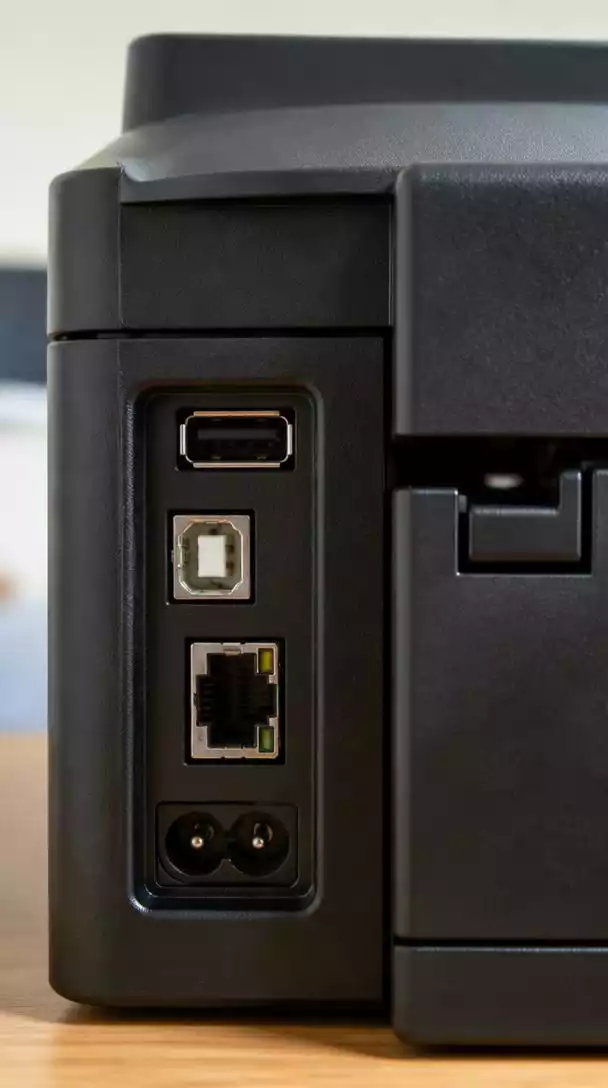
These specifications indicate that the MFC-J6720DW is built for durability and high-performance tasks, making it an excellent investment for those who need a reliable printing solution. For detailed product specifications, you can refer to the Brother support page. Understanding Inkjet Technology in the MFC-J6720DWThe Brother MFC-J6720DW utilizes inkjet technology, which brings several advantages to the table. This type of printing technology allows for high-quality output and color accuracy, making it perfect for both text and images. Moreover, inkjet printers are often more cost-effective in terms of the initial investment compared to laser printers, especially for small-scale printing. It’s also worth mentioning that inkjet technology tends to be more efficient when printing color documents, which is essential for creative professionals! Connectivity Options for Modern WorkflowsIn today’s digital age, connectivity is key. The Brother MFC-J6720DW offers various connectivity options that streamline workflows and enhance productivity.
These connectivity features ensure that the MFC-J6720DW integrates seamlessly into your existing setup, allowing for a hassle-free printing experience every time! For further information on setup and connectivity, visit the Brother product support page. We Want to Hear From You!Considering the MFC-J6720DW’s A3 capabilities and various connectivity options, what feature do you find most essential for your workflow? Making an Informed Decision About the MFC-J6720DWCost Considerations and Value PropositionWhen it comes to investing in a multifunction printer like the Brother MFC-J6720DW, understanding the costs involved is essential. You’ll want to evaluate not just the initial purchase price but also the long-term value it offers. One of the notable aspects is the option for high-yield ink cartridges, which can significantly lower your cost per page over time. Here are some key points to consider regarding cost:
By weighing these factors, you can better understand how the MFC-J6720DW fits into your budget and whether it meets your printing needs efficiently. Is the MFC-J6720DW Right for You?Choosing the right printer involves more than just looking at features. You’ll want to consider how the MFC-J6720DW aligns with your specific use cases and office requirements. Think about factors such as the volume of printing, types of documents you’ll be handling, and the operating systems you use.
By reflecting on these aspects, you can determine if this model is the right fit for your environment and workflow. Frequently Asked Questions About the Brother MFC-J6720DWWhat are the main functions of the Brother MFC-J6720DW?
The Brother MFC-J6720DW is an all-in-one printer that combines printing, scanning, copying, and faxing capabilities in a single device.
Can the MFC-J6720DW print large documents?
Yes, one of its standout features is its ability to handle A3-sized documents, making it suitable for creative professionals and businesses requiring larger prints.
What are the print speeds of this model?
It offers fast print speeds of up to 22 pages per minute for black and 20 pages per minute for color, boosting productivity in busy environments.
Is the Brother MFC-J6720DW cost-effective?
Yes, it offers the option for high-yield ink cartridges, which can significantly reduce the cost per page over time and contribute to long-term savings.
What connectivity options are available with this printer?The post Understanding the MFC-J6720DW Features appeared first on Printcom | Perth Managed Print Services, Printers & Support. Via https://printcom.com.au/understanding-the-mfc-j6720dw-features/ In today’s fast-paced workplace, efficiency is paramount. The Brother MFC-J6720DW Multifunction Printer stands out as a powerful ally for anyone looking to streamline their printing tasks while reducing costs. With its multifunctionality and impressive features, it’s designed to meet the diverse demands of both home and office environments. What You Will Learn
Understanding the Brother MFC-J6720DW Multifunction PrinterThe Brother MFC-J6720DW is a versatile multifunction printer designed to meet the diverse needs of today’s busy work environments. It offers A3 duplex printing, which is perfect for creating professional-grade documents while saving on paper. With a 500-sheet capacity, you can spend more time printing and less time refilling paper trays. This printer not only prints but also scans, copies, and faxes, providing all the tools you need in one compact device!
Let’s dive deeper into what makes the Brother MFC-J6720DW a standout choice for both home and office use. Whether you’re printing flyers or important reports, this printer is engineered to handle it all with ease! For detailed specifications and features, you can always refer to the official Brother support page. Overview of Features and SpecificationsWhat sets the Brother MFC-J6720DW apart are its exceptional features. Here’s a quick look at some of its core offerings:
These features combine to create a printer that not only supports a range of tasks but also enhances productivity by streamlining workflows! Key Technical SpecificationsNow, let’s take a closer look at the technical specifications that define the Brother MFC-J6720DW. These specs help ensure you get the best performance tailored to your printing needs:
These specifications highlight the reliability and efficiency of the Brother MFC-J6720DW, making it a solid investment for any office! For more in-depth information on operations and setup, consult the Brother MFC-J6720DW user manual. Benefits of High-Yield Ink CartridgesOne of the standout features of the Brother MFC-J6720DW is its compatibility with high-yield ink cartridges. These cartridges offer several benefits that make them a smart choice:
By opting for high-yield ink cartridges, you not only save money but also enhance your printing experience, making your workflow smoother! We Want to Hear From You!Considering the Brother MFC-J6720DW’s features, which capability (A3 duplex printing, high paper capacity, or multifunctionality) do you find most impactful for your daily tasks? Frequently Asked Questions About the Brother MFC-J6720DWWhat are the main functions of the Brother MFC-J6720DW printer?
The Brother MFC-J6720DW is a versatile multifunction printer that can print, scan, copy, and fax, making it a comprehensive solution for various office and home needs.
Does the Brother MFC-J6720DW support A3 duplex printing?
Yes, it supports A3 duplex printing, which allows for automatic double-sided printing on A3-sized documents, helping to save paper and create professional-grade materials.
What is the paper capacity of this printer?
The Brother MFC-J6720DW features a substantial 500-sheet paper capacity, reducing the frequency of paper refills and increasing productivity.
Are high-yield ink cartridges compatible with the Brother MFC-J6720DW?
Yes, the printer is compatible with high-yield ink cartridges, which offer a lower cost per page and require fewer replacements, leading to enhanced cost-efficiency and less downtime.
What connectivity options does the Brother MFC-J6720DW offer?
It offers versatile connectivity options including Wi-Fi, Ethernet, and USB 2.0, allowing for flexible setup and printing from various devices. For further assistance, check the Brother FAQ page.
Summarizing the Benefits of the Brother MFC-J6720DWThe Brother MFC-J6720DW truly shines in its multifunctionality and efficiency, making it an ideal choice for both business and office needs. With features like A3 duplex printing, scanning, copying, and faxing, this printer does it all! It’s designed to streamline your workflow and increase productivity.
Here are some key benefits that set the Brother MFC-J6720DW apart:
With these advantages, the Brother MFC-J6720DW is a powerhouse that can support the dynamic needs of any workspace, boosting your efficiency and overall productivity. Next Steps for Potential BuyersIf you’re considering the Brother MFC-J6720DW for your printing needs, it’s crucial to evaluate how it fits into your specific workflow. Think about the type of documents you frequently print, the volume of work, and the importance of features like duplex printing and mobile compatibility. Here’s what I recommend as your next steps:
By taking these steps, you’ll be well on your way to making an informed decision that enhances your business operations. Don’t hesitate to reach out for more information or help! Recap of Key PointsHere is a quick recap of the important points discussed in the article:
The post Brother MFC-J6720DW: Key Features Overview appeared first on Printcom | Perth Managed Print Services, Printers & Support. Via https://printcom.com.au/brother-mfc-j6720dw-key-features-overview/ In a world where efficiency and functionality dictate our choices, the Brother MFC J6720DW stands out as a comprehensive solution for both home users and small businesses. With impressive multi-function capabilities and robust performance metrics, it’s designed to meet diverse printing needs. Let’s delve into the key insights that will help you understand what makes this printer a worthwhile investment. What You Will Learn
Understanding the Brother MFC J6720DW PrinterThe Brother MFC J6720DW is a versatile printer that caters to both home users and small businesses alike. With its multifunction capabilities, it stands out as a reliable choice for those who need to print, scan, copy, and fax documents efficiently. In this section, we will dive deeper into its key features, specifications, and overall performance metrics! Key Features of the Brother MFC J6720DWMultifunction Capabilities: Printing, Scanning, Copying, and FaxingThis printer truly excels in its multifunctionality. Whether you need to print a presentation or scan important documents, the Brother MFC J6720DW does it all. For detailed information on its operation, you can consult the official Brother manuals. Here are some of its key functionalities:
The ability to handle various tasks efficiently means you won’t need multiple devices cluttering your workspace. Plus, the user-friendly interface makes switching between these functions effortlessly simple!
Connectivity Options: Ethernet, Wi-Fi, and Wi-Fi DirectConnectivity is a crucial aspect of modern printers, and the Brother MFC J6720DW does not disappoint. You can connect your printer using:
These options provide flexibility and convenience, allowing you to print directly from various devices, including laptops, smartphones, and tablets! Print Quality and Speed: Performance Metrics ExplainedWhen it comes to performance, the Brother MFC J6720DW offers impressive print quality and speed. It can produce documents with a resolution of up to 4800 x 1200 dpi, ensuring that text and images are sharp and clear. Plus, you can expect:
This combination of speed and quality makes it a top choice for those who value efficiency without sacrificing output standards! Mobile Printing Features: AirPrint and Google Cloud PrintIn today’s mobile world, having the ability to print from your smartphone or tablet is essential. The Brother MFC J6720DW supports AirPrint and Google Cloud Print, allowing you to send documents directly from your mobile devices. Here are the benefits:
This feature is especially handy for busy professionals who need to print on the go! Specifications OverviewPaper Handling: 500-Sheet Capacity and A3 PrintingThe Brother MFC J6720DW boasts a generous 500-sheet capacity, which means less frequent paper refills. It also supports A3 printing, making it ideal for larger documents. Consider these advantages:
This feature is particularly useful in environments where larger print jobs are common! Duplex Printing: Benefits and Usage ScenariosAutomatic duplex printing is another standout feature of the Brother MFC J6720DW. This not only saves paper but also enhances productivity. Here are some key benefits:
In today’s eco-conscious world, this feature is a major plus! Memory and Processing: What You Need to KnowEquipped with ample memory and processing power, the Brother MFC J6720DW can handle large print jobs with ease. It includes:
This means you can expect smooth operation even when dealing with high-volume printing tasks! High-Yield Ink Cartridges: Cost Efficiency and LongevityFinally, let’s talk about ink. The Brother MFC J6720DW uses high-yield ink cartridges, which provide significant savings in the long run. For frequently asked questions about this model, including details on consumables, you can visit the Brother support page. Consider these aspects:
This efficiency means you can focus on your work rather than constantly worrying about running out of ink!
We Want to Hear From You!Considering the Brother MFC J6720DW’s extensive features, which one do you find most crucial for your daily printing needs (e.g., multifunctionality, connectivity, A3 printing, or mobile printing)? Frequently Asked Questions About the Brother MFC J6720DW PrinterWhat are the main functions of the Brother MFC J6720DW?
The Brother MFC J6720DW offers multifunction capabilities, including printing, scanning, copying, and faxing, making it a versatile all-in-one device.
What paper sizes does the Brother MFC J6720DW support?
This printer supports a wide range of paper sizes, including A4 and A3, with a generous 500-sheet paper capacity.
What connectivity options are available with this printer?
The Brother MFC J6720DW offers multiple connectivity options, including Ethernet for wired connections, and Wi-Fi and Wi-Fi Direct for wireless printing from various devices.
Does the Brother MFC J6720DW support mobile printing?
Yes, it supports popular mobile printing features such as AirPrint and Google Cloud Print, enabling convenient printing from smartphones and tablets.
What is the print resolution and speed of the Brother MFC J6720DW?
It offers a high print resolution of up to 4800 x 1200 dpi, with fast print speeds of up to 22 pages per minute for black and 20 pages per minute for color.
How do high-yield ink cartridges benefit the Brother MFC J6720DW?
High-yield ink cartridges provide long-term cost savings and reduce the frequency of replacements, making the Brother MFC J6720DW an economical choice for high-volume printing.
The post Brother MFC-J6720DW: A Practical Guide appeared first on Printcom | Perth Managed Print Services, Printers & Support. Via https://printcom.com.au/brother-mfc-j6720dw-a-practical-guide/ In a world where digital threats are ever-increasing, understanding the nuances of print security is not just important—it\’s essential for safeguarding sensitive information. As businesses evolve to accommodate hybrid work environments, the vulnerabilities tied to printing processes must not be overlooked. What measures are you taking to ensure your documents remain secure? What You Will Learn
Understanding the Importance of Secure Office Printing SolutionsIn today’s fast-paced work environment, print security is more critical than ever. With increasing digital threats and the need for confidentiality, businesses must adopt secure office printing solutions. Understanding the importance of these solutions can help protect sensitive information while fostering a secure workplace. As we navigate through hybrid work models, ensuring that every document printed is secure is paramount. Companies need to be aware that vulnerabilities exist not just within IT systems, but also in their printing processes. Securing these processes safeguards against potential data breaches. For comprehensive guidance on securing documents in remote work settings, consult resources like the CISA publication on Printing While Working Remotely.
Why Print Security Matters in Today\’s Work EnvironmentPrint security is essential for various reasons, primarily to protect sensitive information and comply with regulations. In a work environment where collaboration often includes sharing documents, the risk of sensitive data falling into the wrong hands increases significantly.
Moreover, with an increase in remote work, employees use various devices to access corporate documents. This highlights the need for robust print security measures, ensuring that every print job is accounted for and monitored. For further insights into securing your printing devices, refer to security guides for printers, scanners, copiers, and fax machines. Common Risks Associated with Unsecured PrintingMany businesses underestimate the risks tied to unsecured printing. Here are some common threats:
Each of these risks can lead to significant financial and reputational damage. Understanding and addressing these vulnerabilities should be a priority for any organization aiming to protect its assets. The Australian Signals Directorate (ASD) provides valuable insights into secure printing with their Blueprint for secure printing.
Key Compliance Standards Impacting Print SecurityCompliance standards play a critical role in defining print security protocols. Some key standards include:
Companies must ensure that their printing processes align with these regulations to avoid penalties and maintain customer trust. By integrating print security into compliance strategies, businesses can enhance their overall security posture. We Want to Hear From You!Considering the common risks associated with unsecured printing and the importance of compliance, which aspect of print security do you find most challenging to manage in your organization? Frequently Asked Questions About Print SecurityWhy is print security important in today\’s work environment?
Print security is crucial for protecting sensitive information, complying with data protection regulations, safeguarding intellectual property, and enhancing customer trust, especially with the rise of hybrid and remote work models.
What are the common risks associated with unsecured printing?
Common risks include unauthorized access to sensitive documents, data leaks from unprotected print jobs, and increased chances of document theft or loss, all of which can lead to significant financial and reputational damage.
Which compliance standards impact print security?
Key compliance standards include GDPR (General Data Protection Regulation), HIPAA (Health Insurance Portability and Accountability Act), and PCI DSS (Payment Card Industry Data Security Standard). Adhering to these is vital to avoid penalties and maintain trust.
How can businesses assess their current printing environment for vulnerabilities?
Businesses should conduct a comprehensive audit of printing devices and workflows, identify sensitive document handling processes, assess user access controls, and review applicable industry compliance standards.
What secure office printing solutions can be implemented?
Effective solutions include implementing encryption techniques, utilizing secure print release options, adopting multi-factor authentication, and developing robust access control policies.
Conclusion: Elevate Your Office Printing Security TodayAs we wrap up our discussion on secure office printing solutions, it’s clear that enhancing print security is not just beneficial—it’s essential! A comprehensive approach can significantly protect sensitive information and streamline printing processes. But, before diving into new solutions, let\’s assess your current printing environment. Assess Your Current Printing EnvironmentTo ensure a successful transition to secure printing, it’s crucial to start with a thorough evaluation of your existing systems. This involves identifying vulnerabilities and understanding how your current processes align with best practices. Here are a few steps you might consider:
By pinpointing these areas, you pave the way for effective improvements and better security measures tailored to your specific needs. Start Implementing Secure Office Printing SolutionsAfter assessing your current environment, the next step is to integrate secure office printing solutions. It’s important to involve your team in this process to foster a sense of ownership and ensure smooth adoption. Here are some solutions you might consider:
Each of these solutions plays a vital role in bolstering your print security and keeping sensitive information safe. Call to Action: Take the First Step Towards Secure PrintingReady to take the leap towards a more secure printing environment? We’re here to help you every step of the way! Understanding your unique requirements is our priority. Learn More about Printcom\’s Secure SolutionsIf you’re interested in exploring how Printcom can tailor security solutions to meet your needs, we’d love to share our insights. Our team is dedicated to providing you with the best possible options for securing your office printing. Contact Us for a Personalized Security AssessmentDon’t wait until it’s too late—reach out today for a personalized security assessment. We can help you identify vulnerabilities and implement solutions that fit your business perfectly. Together, we can elevate your office printing security! Recap of Key PointsHere is a quick recap of the important points discussed in the article:
In a world where efficiency is paramount, understanding the intricacies of commercial printing workflow solutions can set your business apart. Automated processes and streamlined operations are not just trends—they are necessities for staying competitive. As the printing industry evolves, you have the opportunity to enhance productivity and customer satisfaction like never before. What You Will Learn
Understanding Commercial Printing Workflow SolutionsIn the fast-paced world of printing, commercial printing workflow solutions are essential for ensuring efficiency and quality. These solutions streamline processes from job submission to final output, helping businesses manage their operations effectively. By automating various stages of the printing process, companies can focus more on delivering exceptional products while reducing turnaround times. For more insights into how automation is revolutionizing the industry, you can refer to resources from Printing United Alliance. Essentially, these workflow solutions encompass tools and software that handle everything from order intake to production and delivery. They are designed to enhance productivity, minimize errors, and provide a seamless experience for both the printer and the client.
What Are Commercial Printing Workflow Solutions?Commercial printing workflow solutions refer to a series of integrated processes and software that enable printing companies to efficiently manage their production cycle. Some key components include:
These solutions not only streamline operations but also enhance communication between departments, ensuring that everyone is on the same page throughout the production process. Key Benefits of Implementing Workflow AutomationImplementing workflow automation in commercial printing offers numerous benefits that can significantly impact your business. Here are some of the most notable advantages:
Overall, these benefits contribute to a more streamlined operation, enabling businesses to scale their services and meet growing demands effectively. Further details on how workflow automation optimizes operational productivity can be found in this report on Workflow Automation. Role of Print Management Software in Workflow SolutionsPrint management software plays a crucial role in the overall effectiveness of workflow solutions. By centralizing various elements of the printing process, it allows businesses to track jobs, manage resources, and analyze performance metrics. Some key features of print management software include:
This software not only simplifies various processes but also provides valuable insights into operational efficiency, helping businesses make informed decisions moving forward. We Want to Hear From You!What’s the biggest workflow challenge your commercial printing business currently faces? Frequently Asked Questions About Commercial Printing Workflow SolutionsWhat are commercial printing workflow solutions?
Commercial printing workflow solutions are integrated processes and software designed to efficiently manage the entire print production cycle, from job submission to final delivery. They aim to streamline operations, minimize errors, and enhance overall productivity.
What are the main benefits of implementing workflow automation in commercial printing?
Key benefits include increased efficiency, significant cost savings by reducing errors and waste, enhanced quality control for consistent results, and improved customer satisfaction through faster delivery and accurate orders.
How does print management software contribute to workflow solutions?
Print management software centralizes various aspects of the printing process, enabling real-time job tracking, efficient resource allocation, performance reporting and analytics, and seamless integration with other systems. This provides valuable insights and simplifies operations.
What is the ROI of workflow automation?
The return on investment (ROI) for workflow automation comes from reduced labor costs, increased project capacity due to faster turnaround times, fewer reprints and corrections from enhanced quality control, and improved customer retention and acquisition through better service.
How can print analytics improve workflow efficiency?
Print analytics provides data-driven insights into production bottlenecks, helps with accurate forecasting and resource allocation, facilitates informed decision-making for future projects, and allows businesses to track customer preferences to adapt offerings.
Summary of Commercial Printing Workflow SolutionsIn the fast-paced world of commercial printing, workflow solutions are crucial for enhancing efficiency and productivity. By integrating various components into a cohesive system, businesses can streamline their operations and improve overall performance. Here’s a summary of what we’ve covered regarding workflow solutions and their importance. Key Takeaways for Better Workflow Management
By focusing on these elements, your printing business can achieve a smoother operation. Remember, every improvement in workflow not only increases productivity but also boosts customer satisfaction!
Understanding the ROI of Workflow AutomationInvesting in workflow automation can yield significant returns. The ROI can come from various sources, such as reduced labor costs, increased output, and improved customer satisfaction. To better understand the ROI, consider these factors:
By analyzing these aspects, you can clearly see how automation not only enhances your workflow but also contributes positively to your bottom line! Impact of Print Analytics on Workflow EfficiencyUtilizing print analytics can transform your operational strategy. By analyzing data, you can identify trends, monitor performance, and make informed decisions. Here’s how print analytics can impact your workflow:
Integrating analytics into your workflow opens up new avenues for efficiency and growth. It allows you to tweak processes based on real data, ensuring you’re always one step ahead! The transformation of the printing industry through automation and sustainability is a key topic discussed by Drupa’s insights into digitalization. Next Steps for Your Printing BusinessReady to take your printing business to the next level? Following the insights on workflow solutions, it’s time to focus on actionable steps that will drive your success. Evaluating Your Current Workflow SolutionsBefore making changes, it’s essential to assess your current workflow. Here are some steps to guide you through this evaluation:
This evaluation will help pinpoint areas for improvement and set the stage for a successful transition to an optimized workflow. Contacting Experts for Tailored Workflow SolutionsSometimes, navigating workflow solutions can feel overwhelming. That’s where experts come in! Reaching out to professionals can provide you with tailored solutions that fit your specific needs. Here are reasons to consider expert consultation:
Don’t hesitate to seek out specialists who can guide you through this transformative process! Exploring E-commerce Printing Solutions for Business GrowthIn today’s digital age, integrating e-commerce printing solutions can propel your business forward The post Streamlining Commercial Printing Processes appeared first on Printcom | Perth Managed Print Services, Printers & Support. Via https://printcom.com.au/streamlining-commercial-printing-processes/ In a world where efficiency drives success, the significance of streamlined document management cannot be overstated. Businesses in Perth, in particular, have much to gain from understanding Document Management Solutions (DMS) that cater to their unique needs. Here’s a closer look at the key insights you’ll uncover. What You Will Learn
Understanding Document Management Solutions in Perth
In today’s fast-paced business world, managing documents efficiently is crucial for success. Document Management Solutions (DMS) are designed to streamline this process by digitizing and organizing files, making them easily accessible. For businesses in Perth, understanding the ins and outs of these systems can significantly enhance productivity and security. When we talk about Document Management Systems, we’re referring to software solutions that help organizations capture, store, manage, and retrieve documents. Implementing an effective DMS can lead to many benefits, including reduced operational costs and improved compliance, as highlighted by resources from the National Archives of Australia on Electronic Document and Records Management Systems. What Are Document Management Solutions?To truly grasp the impact of document management, it’s essential to understand what these solutions entail. Essentially, they are systems that automate the process of document handling. This can range from scanning physical documents to secure cloud storage solutions.
By adopting a DMS, businesses can not only reduce clutter but also enhance their ability to share and access information. This leads to a more organized working environment, which is especially important in dynamic roles where quick decisions are necessary. Defining Document Management Systems and Their ImportanceDocument Management Systems play a pivotal role in how businesses manage their information. They help in storing documents in a centralized location, making it easier for employees to find and manage files. This is particularly vital for companies dealing with sensitive data, aligning with principles of building trust in public records. Without a proper DMS, organizations can face significant challenges, including lost documents, time wasted in searching for files, and security risks associated with physical paperwork. It’s clear that a well-implemented DMS is not just a luxury but a necessity in today’s business landscape. Key Features of Effective Document Management SolutionsAn effective DMS should come equipped with several key features that cater to the diverse needs of a business. Here are some crucial aspects to consider:
These features not only enhance usability but also ensure that your documents are secure and easily accessible. By focusing on these aspects, businesses can choose a DMS that fits their specific needs and workflows, ultimately driving efficiency and productivity. Why Businesses in Perth Need Document Management
For businesses in Perth, the demand for effective document management is more pressing than ever. With increasing volumes of data and regulatory requirements, having a structured approach is essential. A DMS helps tackle common challenges and ensures operational continuity. Many local businesses struggle with disorganized paperwork, which can lead to delays and inefficiencies. Implementing a DMS not only resolves these issues but also provides a framework for better management and compliance with industry regulations. Challenges Faced by Local Businesses Without Proper ManagementWithout a reliable document management system, Perth businesses face various challenges:
These hurdles can hinder growth and lead to missed opportunities. Thus, transitioning to a DMS can be a game-changer, allowing businesses to focus on their core activities while ensuring their documents are well-managed. The Role of Compliance and Security in Document HandlingA significant aspect of document management is ensuring compliance with various regulations. In Perth, businesses need to adhere to standards governing data protection and privacy. A robust DMS helps in maintaining compliance by providing necessary tools for secure document handling. Moreover, security features like user access controls and audit trails ensure that sensitive information is protected against unauthorized access. This is crucial in maintaining customer trust and safeguarding the business’s reputation. Understanding Compliance Regulations Impacting Document Management (GDPR, HIPAA)In a global context, compliance regulations such as GDPR and HIPAA play a significant role in document management. Understanding these regulations is crucial for businesses operating in sectors like healthcare and finance. These regulations emphasize the importance of secure document handling and the necessity of having a DMS that can adapt to these requirements. By integrating compliance measures into their document management plans, businesses can mitigate risks and ensure they meet legal obligations. Quick SummaryHere’s a brief recap of the key points discussed so far:
Frequently Asked Questions About Document Management SolutionsWhat are Document Management Solutions (DMS)?
Document Management Solutions are software systems designed to digitize, organize, store, manage, and retrieve documents efficiently. They automate document handling processes, from scanning physical files to secure cloud storage.
What are the key features of an effective DMS?
Key features include a user-friendly interface, robust security measures (like encryption and access controls), integration capabilities with existing software, and automated workflow processes.
Why do businesses in Perth need Document Management?
Perth businesses need DMS to overcome challenges such as disorganized paperwork, increased risk of data breaches, time-consuming document searches, and higher operational costs. It also helps ensure compliance with local and international regulations.
How can choosing a local DMS provider in Perth benefit my business?
A local provider in Perth often has a better understanding of regional regulations and compliance standards. They can offer tailored solutions, more accessible support services, and quicker response times for urgent needs.
What are the potential cost savings and ROI of implementing a DMS?
Implementing a DMS can lead to significant cost reductions by minimizing physical storage costs, printing expenses, and the time employees spend searching for documents. Businesses often report substantial improvements in efficiency and productivity, leading to a strong return on investment.
What is the role of mobile document management solutions?
Mobile document management solutions provide flexibility, allowing users to access documents from anywhere at any time. This enhances collaboration among remote teams, reduces dependency on physical storage spaces, and creates a more agile business environment.
Evaluating Document Management Solutions for Your BusinessChoosing the right document management solution can seem daunting, but it doesn’t have to be! The key is to know what to look for in a provider that meets your specific business needs. I’ve found that taking a structured approach helps in making the right choice. Here are some key factors to consider when selecting a document management provider:
How to Choose the Right Document Management ProviderWhen selecting a document management provider, it’s crucial to evaluate their experience and expertise. A seasoned provider will understand the unique challenges your industry faces and can offer tailored solutions. Additionally, consider their local presence. Having a provider based in Perth means you’ll have access to local support and resources, which can be invaluable. It’s comforting to know that help is just a call away! Key Factors to Consider When Selecting a ProviderIn addition to the points mentioned, it’s also wise to look at:
Evaluating these factors can help ensure that you select a provider who not only fits your current needs but can also adapt as your business grows. Understanding the Importance of Local Presence and SupportHaving a local The post Document Management Solutions in Perth appeared first on Printcom | Perth Managed Print Services, Printers & Support. Via https://printcom.com.au/document-management-solutions-in-perth/ |

About UsWelcome to Printcom, the place where entrepreneurs get the best solutions to their computing, printing and copying needs. We offer an extensive range of products and services to meet the specific requirements of your business, so whether you are looking for a printer, a photocopier, a fax machine, or a qualified repair technician, we can help. ArchivesNo Archives Categories |







 RSS Feed
